Workflows
Workflow Introduction
Section titled “Workflow Introduction”Workflows are an advanced powerful capability of Anybuild that can be used to automate business processes.
Examples include: Assigning appropriate Engineers to a Service Case. Sending Alerts and Reminders to relevant users.
Workflows are easily defined by Business Users and Domain experts without the need for coding.
With workflows, application designers can efficiently execute complex logic, including branching conditions, loops, and various types of actions, all through a user-friendly visual interface. One notable feature is the ability for workflows to call one another within their execution sequences, promoting a modular approach to business logic implementation.
This modular approach helps break down complex processes into smaller, reusable parts, improving their manageability and sustainability. Each workflow is dedicated to a specific task or operation, contributing to overall operational efficiency and ease of management.
Workflow Designer
Section titled “Workflow Designer”Workflow Designer is the visual tool used to construct workflows.
Home >> Data Definition Layer >> Functions >> Workflows >> New Workflow
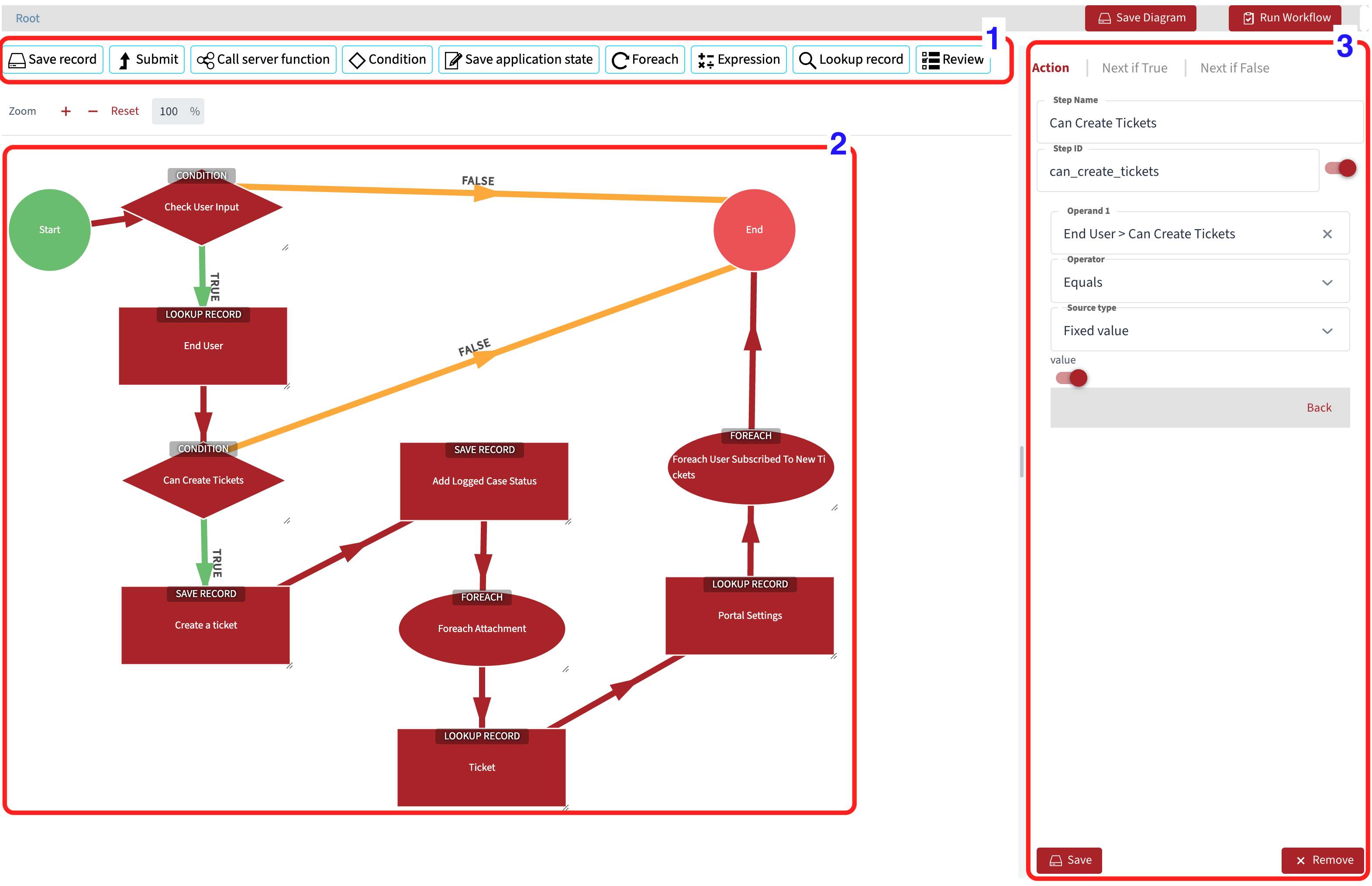
The image above highlights three distinctive areas:
- List of available workflow actions (1)
- Workflow diagram (2)
- Workflow step configuration pane (3)
Workflow step
Section titled “Workflow step”A workflow step is a configured action within a workflow. Each step must be linked to another step or the end of the workflow. Depending on the workflow action, some steps may have two potential outputs, each of which must be linked to another step or the end of the workflow. Every step must have a pathway leading to it. Circular pathways are permitted only if a condition step is present in between--- the assumption is that the condition will be used to avoid dead loops.
When a workflow step is selected, step details are displayed in the configuration pane.
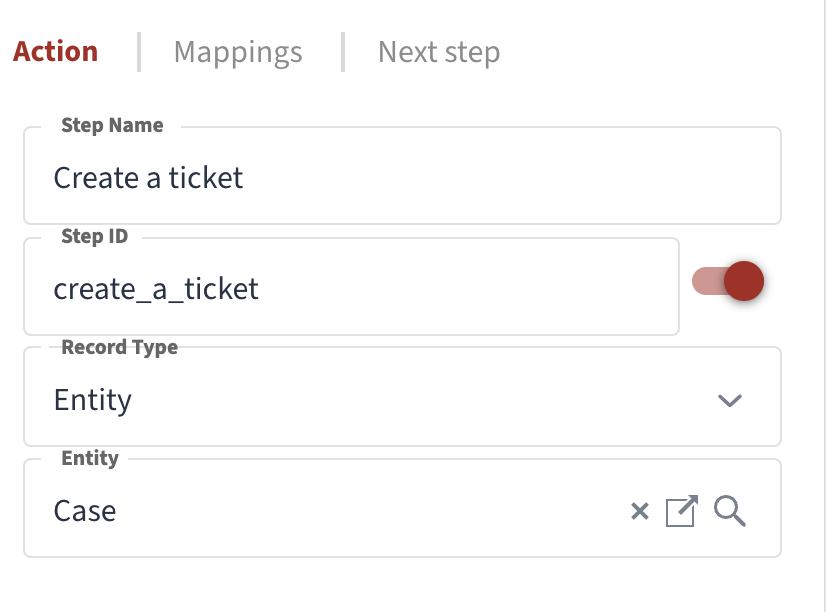
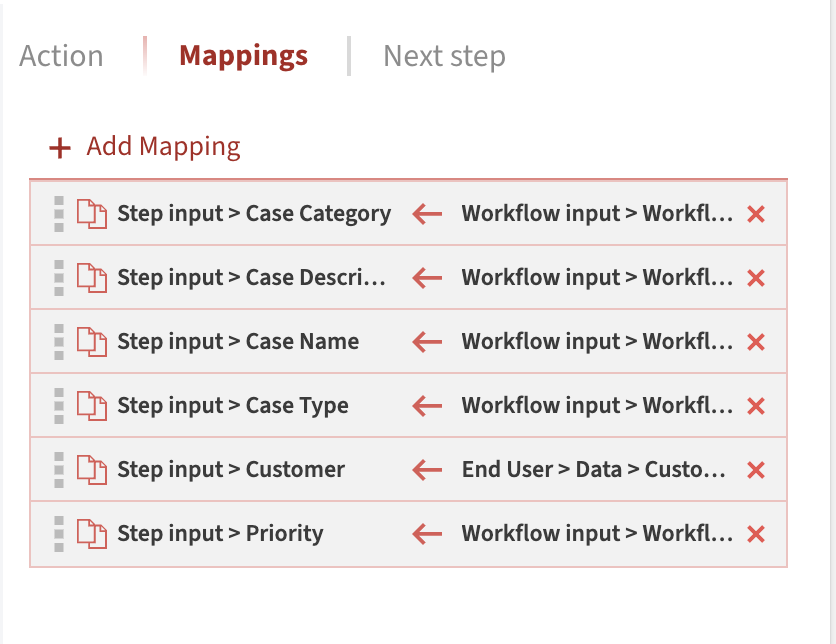
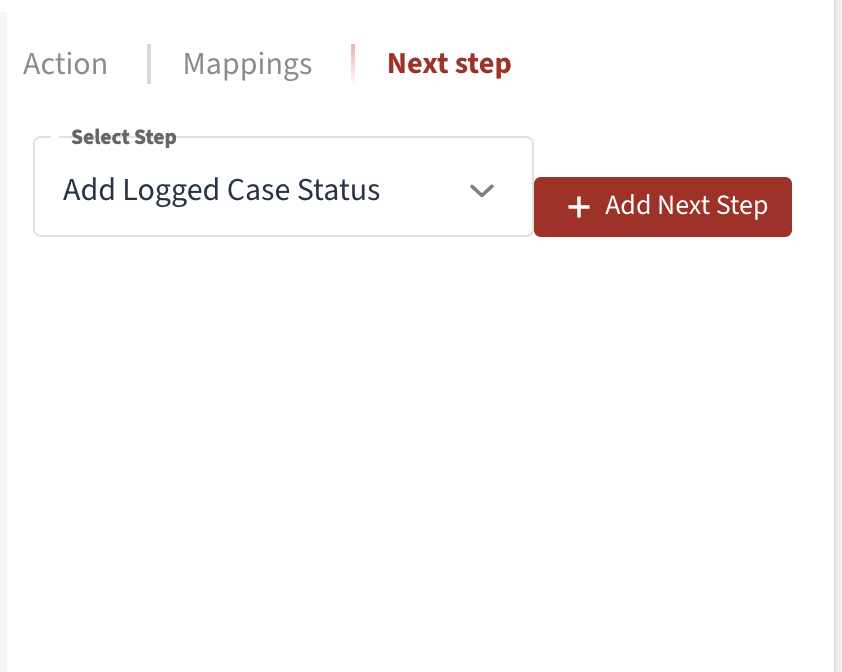
Action tab shows various settings depending on the selected action type. For example, if the Save Record action is chosen, it is necessary to configure the Entity or Component for which the record will be saved.
Save Record
Section titled “Save Record”Saving records in workflow steps.
Submit
Section titled “Submit”Submitting data in workflow steps.
Call Server Function
Section titled “Call Server Function”Calling server functions from workflows.
Condition
Section titled “Condition”Adding conditional logic to workflows.
Save Application State
Section titled “Save Application State”Preserving application state in workflows.
Foreach
Section titled “Foreach”Iterating over collections in workflows.
Expression
Section titled “Expression”Using expressions in workflow steps.
Lookup Record
Section titled “Lookup Record”Looking up records in workflow steps.
Review
Section titled “Review”Review steps in workflows.
Running a workflow
Section titled “Running a workflow”How to execute and monitor workflows.
Example Workflows
Section titled “Example Workflows”Practical examples of workflow implementations.